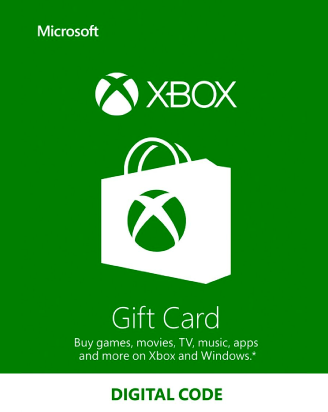
Xbox gift card guide: redeem it, spend it, and keep it in the right country
Written by Maciej Kamieniak, reviewed by Natalia Kamieniak · Updated October 28, 2026
Where and how to redeem
Sign in to the right Microsoft account before you start — once a code is in, it can't be moved. Then pick whichever device is closest:
| Device | Path |
|---|---|
| Xbox Series X|S or Xbox One | Press the Xbox button → Store → press the View button → Redeem, then enter the code. |
| Windows PC | Open the Microsoft Store app → your account (top right) → Redeem code or gift cards. |
| Xbox PC app | Your gamerpic (top left) → Settings → Redeem under “Redeem a code”. |
| Any browser, including a phone | Go to redeem.microsoft.com, sign in and enter or paste the code. |
| Xbox mobile app | Not supported — use the browser option instead. |
A digital card is simply a code in an email, so you can redeem it as soon as it arrives. To confirm it landed, see how to check your Xbox gift card balance.
What the balance buys — and what it doesn't
Works for
- Games, DLC and add-ons in the Microsoft Store on Xbox and Windows
- Xbox subscriptions, including Xbox Game Pass
- Apps, movies and TV shows sold in the Microsoft Store
- In most countries, Surface, Xbox consoles and accessories bought online from Microsoft
Doesn't work for
- Non-Xbox subscriptions — Microsoft says only Xbox subscriptions can be bought with a gift card
- Microsoft Store retail locations
- Cash, other gift cards or similar payment products
- Certain in-app subscriptions and purchases, per Microsoft's gift card terms
Using a US Xbox card from another country
Microsoft's gift card terms put it in two clauses: the balance may only be added to an account registered in the jurisdiction that recognizes the card's currency, and it may only be used at stores available where the account is registered. In practice:
Sending rewards to people in several countries has the same trap at a larger scale — our explainer on rewarding remote teams across countries walks through it, and how to buy Xbox gift cards in bulk covers ordering many codes at once.
Limits, expiry and fees
- Holding limit: a Microsoft account can store at most USD 1,000 at a time, and you can add or redeem up to USD 1,000 per day. If you go over, Microsoft may temporarily block redemptions.
- Several accounts: accounts registered in your name share a combined USD 5,000 limit.
- Expiry: the terms say non-promotional balance doesn't expire; promotional balance follows the promotion's own terms.
- Fees: none for keeping a balance, per Microsoft's gift card terms.
- Refunds and loss: cards can't be exchanged for cash, aren't reloadable, and Microsoft isn't responsible for a lost or stolen card — so guard the code like cash.
Giving it to a child: spending controls
Microsoft Family Safety lets a parent add money to a child's account and approve every purchase. From family.microsoft.com or the Family Safety app:
Open the child's Spending page
Select the family member, then Spending. If they have no money, you'll see an Add money link.
Require approval
Choose Manage spending and turn on Require approval for every purchase.
Turn on notifications
Enable Get notified about every purchase, and activity reporting if you want to see where the money goes.
One detail for Roblox players: Roblox says its own spending limits don't affect spending through Xbox, so set the Xbox-side controls too. See our Roblox gift card guide for the Roblox side.
If the code won't redeem
- Region or currency error: the card and the account country don't match. Microsoft's own advice for a wrong code is to contact the retailer.
- Over the limit: you're near the USD 1,000 holding or daily limit — spend some balance or wait a day.
- Wrong account: sign out and back in with the account you meant; funds can't be transferred afterwards.
- Anything else: Microsoft points to the Xbox error and status code pages and Microsoft Support.
Scam red flags with Xbox and Microsoft cards
- 1“Microsoft support” asks for gift cards. The FTC lists fake Microsoft tech support among common gift card scams. Real support never takes payment in gift card codes.
- 2A stranger wants a photo of the code. Once someone reads the digits, they can redeem them into their own account.
- 3“Free Game Pass” or code generators. They exist to harvest Microsoft account logins.
- 4Already paid a scammer? Contact Microsoft and the store you bought from right away, keep the card and receipt, and report it at ReportFraud.ftc.gov.
Xbox gift card FAQ
Can I pay for Xbox Game Pass with an Xbox gift card?
Yes. Microsoft says only Xbox subscriptions can be bought with a gift card, and Game Pass is one. Check your renewal date and payment method in your Microsoft account so the next renewal goes the way you expect.
Can I redeem an Xbox gift card on my phone?
Not in the Xbox mobile app. Open redeem.microsoft.com in your phone's browser and sign in instead.
Will a US Xbox card work in Mexico, Canada or Europe?
Only on a Microsoft account registered in the US. Accounts in other countries need a card in their own currency.
Does an Xbox gift card expire?
Microsoft's terms say non-promotional account balance doesn't expire and there's no fee for keeping it.
Can I use it on PlayStation or Steam?
No — it's Microsoft Store money only. For those platforms you need a PlayStation or Steam card.
Who wrote this and how it was checked
Maciej runs Rewordin, a digital rewards platform that sends gift cards across borders — which is why the region rules get the most space here.
- Xbox — Redeem a code (console, Windows, Xbox PC app)
- Microsoft Support — Redeem a gift card or code
- Microsoft gift cards terms and conditions
- Microsoft Support — Spend the money in my Microsoft account
- Microsoft Support — Limits on the money in your Microsoft account
- Microsoft Support — Change your country or region
- Microsoft Support — Spending limits in Family Safety
- Roblox Support — Monthly Spending Limits (Xbox note)
- FTC — Avoiding and reporting gift card scams